


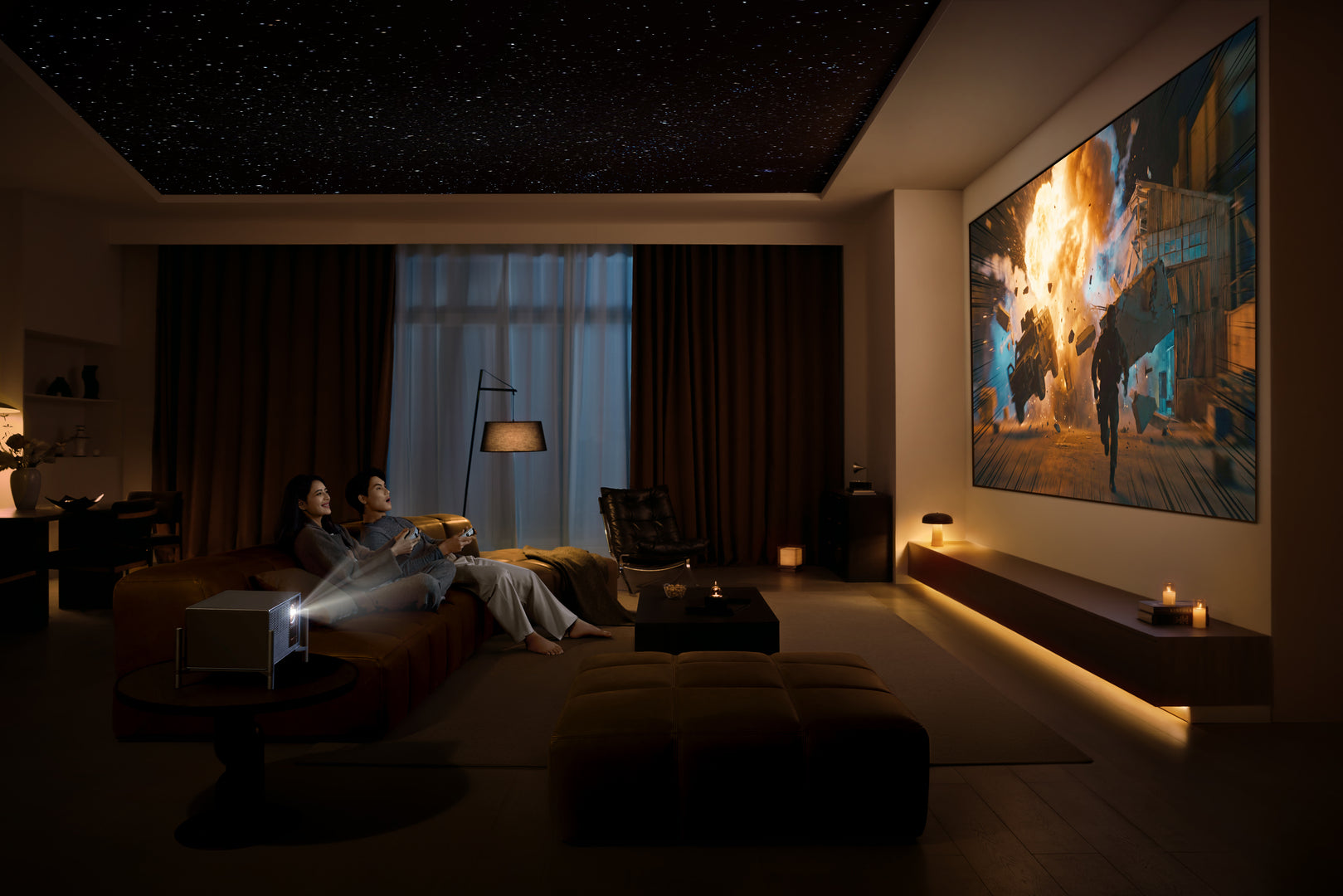
FAQs
Find answers to the most frequently asked questions about ordering, shipping, payments, and everything else about NothingProjector.
FAQ
What is Ambient Light Rejection? How Does It Impact the Screen?
Ambient Light Rejection (ALR) refers to a screen's ability to block out environmental light—such as sunlight through windows, ceiling lights, or lamps—while still reflecting light from the projector efficiently. A standard matte white screen scatters light equally in all directions, meaning that ambient light from the room mixes with the projected image, washing out contrast and making blacks appear gray. An ALR screen uses specialized optical microstructures or coatings to control the direction of light. It reflects light coming from the projector (typically from below or a specific angle) toward the viewer while rejecting light that comes from other directions, such as overhead lights or side windows.
Impact on Your Viewing Experience:
An ALR screen dramatically improves image quality in bright environments. In a well-lit room, an ALR screen can provide over 10 times the contrast of a regular white screen. Colors become more defined, blacks appear deeper, and you can comfortably watch movies or presentations without needing to draw all the curtains or turn off every light. If your projector has higher lumen output, the benefits of an ALR screen become even more pronounced. For UST (ultra-short-throw) projector owners, ALR screens are particularly important because the projector sits near the screen, and the screen's optical structure can be precisely engineered to accept light from that specific angle while rejecting everything else.

What Is an Acoustically Transparent Projection Screen?
An acoustically transparent (AT) screen is a projection screen that allows sound to pass through its surface. This means you can place speakers directly behind the screen, aligning the audio source perfectly with the on-screen action. AT screens come in two primary types:
Type |
Description |
Pros |
|---|---|---|
| Perforated | Thousands of tiny holes (about 0.3mm diameter) are punched into the screen material | Lower cost |
| Woven | A fabric weave naturally provides gaps between fibers for sound to pass through | Less effect on sound quality, no visible holes from normal viewing distance |
Woven screens generally have less effect on sound quality than perforated screens because they don't create the same acoustic reflections or high-frequency attenuation. Additionally, because sound travels through the screen rather than bouncing off it, AT screens eliminate the uneven sound reflections that can occur with solid screens. Best Use Case: Dedicated home theaters where you want to hide speakers behind the screen for a clean, professional look while maintaining perfect lip-sync between dialogue and on-screen characters.

What Is Gain in a Projection Screen?
Gain is a measurement of how much light a projection screen reflects toward the viewer compared to a standardized white reference surface (typically a magnesium oxide-coated board), which is defined as 1.0 gain.
Gain Value |
Effect |
|---|---|
| 1.0 (Unity Gain) | Reflects light evenly in all directions (like matte white paint) |
| > 1.0 (High Gain) | Focuses more light toward the center, creating a brighter image on-axis but narrower viewing angle |
| < 1.0 (Low Gain) | Spreads light more broadly, sacrificing some brightness for wider viewing angle |
A screen with gain 1.0 is equally reflective in all directions, so you lose very little brightness when moving off-center. Higher-gain screens (e.g., 1.3 or 1.5) make the image appear brighter—sometimes significantly so—but that brightness drops off more quickly for viewers sitting off to the sides.
Important: Screens don't actually "create" more light. A high-gain screen simply focuses the reflected light more directionally, similar to how a flashlight focuses its beam versus a bare bulb.
When to choose high gain: When your projector has limited brightness output, you sit mostly directly in front of the screen (center seating), and you don't mind a narrower optimal viewing angle.
When to choose unity gain: When you have multiple seating positions spread across a wide area, or when your projector is already very bright.

Can a Screen Enable 3D Viewing with a Projector?
Technically, no screen can "enable" 3D -- that capability comes entirely from the projector. However, certain screen characteristics can preserve or enhance the 3D experience. For true 3D projection, you need three things:
- A 3D-compatible projector that can process 3D signals and display alternating left-eye/right-eye frames
- Active shutter glasses or passive polarized glasses (depending on projector technology)
- A screen with high gain to compensate for brightness loss caused by 3D glasses
Why screen gain matters for 3D:
3D projection is significantly dimmer than 2D because each eye sees only half of the total frames, and shutter glasses or polarized filters block and reduce substantial light transmission. Therefore, a higher-gain screen (typically 1.3-2.0) helps recover lost brightness for 3D content, making the image watchable rather than dark and straining to the eyes. Many UST projectors that support 3D, such as the Formovie Theater, pair excellently with high-gain ALR screens for an immersive 3D viewing experience. If 3D is important to you, confirm that your projector supports 3D formats and select a screen with gain of at least 1.0 or higher.
How Does a Motorized Floor Rising Screen Work? What to Look For When Buying?
A motorized floor rising screen is housed in a casing that sits on or near the floor. With the touch of a button (remote, wall switch, or 12V trigger), an internal electric motor extends the screen upward to the desired height. When not in use, it retracts back into the casing, completely disappearing from sight.
Key Components: Electric motor and drive system provides the power to raise and lower the screen smoothly and silently. Tensioning system keeps the screen fabric flat and wrinkle-free during deployment. Tubular housing protects the screen when retracted. Control methods include remote control, wall switch, or 12V trigger which automatically syncs with projector power.
What to Look For When Buying:
Feature |
What to Check |
|---|---|
| Compatibility | Match screen type to your projector's throw distance (UST, short throw, or long throw) |
| Screen Material | ALR/CLR material for UST projectors; options like PET Crystal for superior image clarity |
| Tensioning | Tab-tensioned screens remain flat and ripple-free—critical for image quality |
| Noise Level | Check reviews for motor noise during operation |
| Build Quality | Sturdy aluminum housing prevents wobbling and ensures longevity |
| Aspect Ratio | 16:9 is standard for home theater; confirm your projector supports it |
| Size | Measure your wall space and viewing distance realistically |
| Control Options | Remote is standard; 12V trigger offers seamless automation |
| Price | Quality UST ALR floor rising screens typically cost $500–2000 |
Does NothingProjector‘s Screen Minimize Speckle with RGB Triple Laser Projectors?
Yes, NothingProjector’s screens are engineered to work exceptionally well with RGB triple laser projectors, but a clear explanation helps users understand the relationship between screens and speckle. What is laser speckle? Laser speckle is a subtle, grainy, shimmering artifact that sometimes appears when coherent laser light reflects off a surface. It looks like tiny sparkling or moving noise across the image. Because ALR screens use micro-structures to control light direction, they can sometimes inadvertently emphasize the interference patterns that cause speckle.
NothingProjector's Approach: NothingProjector’s Black Series screens feature an ST Carbon Black coating and ALR/CLR surface design that manages light reflection carefully. While some speckle may still be present—as with virtually any ALR screen when paired with bright UST projectors—users report that speckle on NothingProjector screens is "fairly mild" compared to many competitors. Many modern RGB laser projectors—including the Formovie Theater Premium, which NothingProjector distributes—include built-in Laser Speckle Reduction (LSR) or electronic vibration settings. These features work by slightly disrupting the coherence of the laser light, which significantly reduces or eliminates visible speckle.
The Bottom Line: NothingProjector's combination of high-quality ALR screen materials + proper projector settings (including LSR) provides an excellent viewing experience with minimal speckle artifacts. For users particularly sensitive to speckle, NothingProjector offers factory-bundled solutions, such as the Formovie Theater Premium with the Black Series screen, where the complete system is optimized to suppress speckle artifacts.
How to Choose a Projector and Screen for a Bedroom?
Bedrooms present unique challenges: limited space, varying lighting conditions (morning sun, evening ambient light), and typically a need for a clean, unobtrusive setup.
For the Projector:
Consideration |
Recommendation |
|---|---|
| Throw Distance | Short throw or ultra-short throw (UST) to achieve a large image without needing deep room space |
| Brightness | 2000–3000 ANSI lumens minimum to handle ambient light |
| Resolution | 4K for the best experience, but 1080p is acceptable on smaller screens |
| Noise Level | Look for projectors with quiet fan operation (under 30dB) |
| Smart Features | Built-in streaming apps eliminate the need for external devices |
| Size | Compact, bedroom-friendly dimensions |
For the Screen:
Motorized floor rising ALR screen is the best choice for bedrooms. It rises when you want to watch, retracts when you don't, and takes up zero wall space when not in use.
No drilling, no permanent installation, no ugly black border sitting on your bedroom wall 24/7.
Screen size: 100-120 inches is common and works well for typical bedroom dimensions.
ALR material: Essential for daytime viewing when sunlight enters the bedroom.
Gain: Unity gain (1.0) or slightly higher works well.
Quick Bedroom Setup Example: A Formovie Theater Premium UST projector paired with a NothingProjector 100-inch motorized floor rising ALR screen sits discreetly on a low media console.
During the day, the screen stays hidden. At night, press a button, the screen rises, and you have a cinematic experience without rearranging any furniture.
How to Choose a Projector and Screen for Outdoor Use?
Outdoor projection is fundamentally different from indoor use because you cannot control ambient light. The moon, streetlights, neighbor's porch lights, and even reflected light from walls all affect image quality.
For the Projector:
Consideration |
Recommendation |
|---|---|
| Brightness | 3000+ ANSI lumens minimum; 4000-5000 lumens is better |
| Portability | Compact, lightweight design with carry handle |
| Power | Battery-powered or generator-compatible |
| Connectivity | Wireless streaming or long HDMI cables |
| Durability | Weather-resistant (not waterproof, but dust/light moisture) |
For the Screen:
Portable ALR screens are ideal for outdoor use. Look for fast-folding frame designs with lightweight aluminum construction that can be set up in minutes.
Material: ALR screens that provide 95% ambient light resistance work best.
Size: 100-120 inches is common for backyard parties.
Stability: Ensure the screen includes stands or ground stakes to prevent wind movement.
Storage: Choose screens that fold down into compact carry bags for easy transport and storage.
Pro Tip: Even with the best outdoor screen, wait until after sunset for optimal results. Outdoor projection is not designed for bright daylight viewing. Consider the ambient light sources at your outdoor venue (porch lights, string lights) and position the screen away from them.
Alternative approach for occasional use: If you already have a white wall or bedsheet, that can work for occasional outdoor movie nights. However, an ALR screen will dramatically improve contrast, black levels, and overall enjoyment.

How to Choose a Projector and Screen for Outdoor Use? What Are Standard/Long Throw vs. Short Throw Projectors? How to Choose?
Throw distance refers to how far the projector must be placed from the screen to achieve a given image size. The measurement is expressed as a throw ratio.
Type |
Throw Ratio |
Typical Distance for 100" Screen |
|---|---|---|
| Short Throw | 0.4:1 - 1.0:1 | 3-5 feet |
| Standard/Long Throw | 1.5:1 - 3.0:1 | 8-15 feet |
Short Throw Projectors:
Place the projector very close to the screen (often just inches away).
Ultra-short throw (UST) projectors (throw ratio under 0.4:1) can sit on a media console directly below the screen.
Pros: Minimal shadows from people walking in front; plug-and-play setup; works in small rooms.
Cons: Typically more expensive due to advanced lens technology; more susceptible to wall irregularities.
Standard/Long Throw Projectors:
These require greater distance from the screen. Most traditional home theater projectors fall into this category.
Pros: Less expensive to manufacture; better for very large screens (120"+); more forgiving of wall surface quality.
Cons: Requires more room depth; people walking in front cast shadows; typically requires ceiling mounting.
How to Choose:
1. Measure your room depth (lens to screen distance).
2. Decide your desired screen size (typically 100-150 inches).
3. Use throw ratio formula: Throw ratio = Distance / Width.
Example: If your room is 8 feet deep and you want a 100" wide screen, you need a projector with 0.96 throw ratio (8 / 8.3 = 0.96) -- that's short throw territory.
If you have limited space (typical bedroom or apartment), a short throw or UST projector is your best choice.
If you have a dedicated, deep home theater room, a long throw projector can deliver excellent quality at a lower cost.

What Are the Key Differences Between a Projector and a TV? Is a Projector Better?
Aspect |
Projector |
TV |
|---|---|---|
| Screen Size | 100-300 inches easily | Typically 55-85 inches; 100"+ TVs cost $20,000+ |
| Picture Quality | Excellent with dark room and good screen; black levels dependent on ambient light | Superior in bright rooms; perfect blacks (OLED); consistent performance regardless of lighting |
| Space Requirement | Requires dark/dimmable room for best results; needs mounting or surface placement | Works anywhere; no special room conditions needed |
| Installation | Screen + projector placement + cabling; may require ceiling mount | Plug and play; place on stand or mount on wall |
| Portability | Yes (especially portable projectors) | No (heavy, fragile) |
| Price per Inch | Much lower -- $2000 UST projector + $800 screen = 120" for $2800 | Much higher -- 98" TVs start around $3000; 120" over $20,000 |
| Lifespan | Laser: 20,000-30,000 hours; LED: 20,000+ hours; Lamp: 3,000-5,000 hours | 50,000-100,000 hours typical |
| Room Lighting | Requires light control for optimal image | Works in any lighting |
| Gaming | Input lag can be higher (check specs); less suitable for competitive gaming | Generally lower input lag; better for competitive gaming |
Is a Projector Better Than a TV?
It depends entirely on your use case.
Choose a projector if:
- You want a truly cinematic experience with a screen 100" or larger.
- You have a dedicated room with light control (or watch primarily at night).
- You're budget-conscious but want massive screen real estate.
- You move frequently or want temporary installation.
- You want an immersive experience for movies, sports, or casual gaming.
Choose a TV if:
- You watch primarily during daytime in bright rooms.
- You're a competitive gamer who needs the lowest possible input lag.
- You prefer a plug-and-play setup with zero maintenance.
- You want the best possible picture quality regardless of lighting (OLEDs excel here).
The truth: Many home theater enthusiasts use both -- a TV for everyday viewing and a projector for movie nights and special events.
There is no universal "better." The right choice depends on your room, your budget, and how you watch content.
How Should a Standard/Long Throw Projector Be Installed — Ceiling Mount, Table Stand, or Floor Tripod?
Method |
Stability |
Aesthetics |
Flexibility |
Installation Effort |
Best For |
|---|---|---|---|---|---|
| Ceiling Mount | Excellent (bolted in place) | Cleanest; projector hidden | Very low; requires tools to move | High (drilling, cable routing) | Permanent, dedicated home theaters |
| Table/Furniture Stand | Good (if surface is stable) | Moderate; visible on furniture | High; move anytime | None -- just place and plug | Temporary setups, renters, testing |
| Floor Tripod | Moderate; can be bumped | Less clean; cables visible | Very high; take anywhere | Low -- unfold and extend | Outdoor use, presentations, mobile setups |
Ceiling Mount -- Detailed:
Pros: Completely out of the way -- no tripping hazards; professional, theater-like appearance; best cooling airflow (typically); reduced risk of accidental damage.
Cons: Requires drilling into ceiling joists; may require professional installation for cable routing; less accessible for adjustments.
When to choose ceiling mount: You own your home, have a dedicated theater room, and want a permanent setup. Also ideal for long throw projectors that need to be positioned well behind seating areas.
Table/Furniture Stand -- Detailed:
Pros: No installation required; easy to access for adjustments; can be moved between rooms.
Cons: Takes up surface space; visible cables may be an eyesore; risk of being bumped or knocked over.
When to choose a stand: You're renting, testing projector placement before committing to a mount, or have the projector in a media console where it blends with other components.
Floor Tripod -- Detailed:
Pros: Highly portable -- take anywhere; adjustable height; works great outdoors.
Cons: Least stable; can be tipped over; cables run along the floor; tripod legs take up floor space.
When to choose a tripod: Outdoor movie nights, business presentations at different locations, or temporary indoor setups where ceiling mounting isn't possible.
Recommendation for long throw projector owners: Start with a table or floor stand to confirm your ideal placement, then upgrade to a ceiling mount once you're certain of the position. This hybrid approach saves you from drilling holes in the wrong location.
Does a Projector Need Calibration After Purchase? Should I DIY or Hire a Professional?
Yes, all projectors benefit from calibration, but the answer differs based on your expectations.
Does every projector need calibration?
Out of the box, most projectors come with "showroom" settings -- overly bright, overly cool color temperature, and boosted contrast to look impressive on retail floors. These settings are rarely accurate. Proper calibration adjusts brightness, contrast, color saturation, color temperature, and gamma to industry standards (Rec.709 for SDR, DCI-P3 for HDR).
DIY Calibration -- What You Can Do Yourself:
Even without professional tools, you can improve image quality significantly:
- Choose the correct picture mode: "Cinema," "Movie," or "Filmmaker" mode is usually closest to accurate out of the box.
- Download free test patterns: Available on YouTube or calibration discs.
- Adjust basic settings: Brightness (black level) and contrast (white level) using test patterns.
- Check color temperature: Set to "Warm" or 6500K for most accurate colors.
- Turn off unwanted processing: Disable motion smoothing, noise reduction, and dynamic contrast.
These basic adjustments will get you 80-90% of the way to a properly calibrated image at zero cost.
Professional Calibration -- When to Consider:
Professional calibrators use specialized tools -- colorimeters, spectrophotometers, and software -- to measure and adjust your projector to exact industry standards. Costs typically range from $300-$600.
Consider professional calibration if:
- You have a high-end projector ($3000+) and want maximum performance.
- You're building a dedicated home theater and want reference-quality image.
- You're sensitive to color inaccuracies (photographers, videographers, designers).
- You've tried DIY but feel something is still "off".
For most users: DIY basic calibration is sufficient. Modern projectors, particularly higher-end models from Formovie, AWOL, XGIMI, and JMGO, come reasonably well-calibrated out of the box in their Cinema modes.
A few minutes adjusting basic settings gives excellent results for 99% of viewers.
Professional calibration is a luxury for enthusiasts who want absolute perfection -- not a requirement for great image quality.

Can a Projector Be Used for Office Meetings, Gaming, Virtual Golf, and Other Non-Entertainment Purposes?
Absolutely. Modern projectors are incredibly versatile and serve many purposes beyond movie watching.
Office Meetings and Presentations:
Projectors excel in conference rooms, classrooms, and huddle spaces. Look for:
- High brightness (3000+ lumens) for lights-on viewing.
- Long lamp life (laser projectors ideal for extended daily use).
- Wireless presentation capability (AirPlay, Chromecast, Miracast).
- Keystone correction and zoom for flexible placement.
Gaming:
Projectors have become serious gaming displays, though specifications matter tremendously. Key gaming specs:
Spec |
Entry Level |
Good |
Excellent |
|---|---|---|---|
| Input Lag | < 30ms | < 20ms | < 10ms |
| Refresh Rate | 60Hz | 120Hz | 240Hz |
| Resolution | 1080p | 4K | 4K |
| Brightness | 2000 lumens | 3000 lumens | 4000+ lumens |
Many short throw projectors now offer input lag as low as 16.7ms at 60Hz, which is imperceptible for all but the most competitive gamers.
Some dedicated gaming projectors achieve 4.2ms input lag at 1080p/240Hz, rivaling high-end gaming monitors.
Virtual Golf Simulators:
This is one of the fastest-growing projector applications. Golf simulators require:
- Short throw design: to place the projector close to the screen, preventing shadows from your swing.
- High brightness: (3000+ lumens) for clear visibility in lit indoor spaces.
- Low input lag: (under 20ms) so swing timing feels natural.
- Durable screen: designed to withstand golf ball impacts.
- 4K resolution: for realistic course detail.
Manufacturers like BenQ now produce projectors specifically optimized for golf simulators.
Other Applications:
Use Case |
Key Requirement |
|---|---|
| Digital art & mapping | High color accuracy, multiple projector synchronization |
| Restaurant/bar displays | Very high brightness, commercial durability |
| Museum exhibitions | Ultra-quiet operation, accurate colors |
| Church/worship center | Long lamp life, easy cable management |
| Fitness studios | Sweat-resistant, high brightness |
| Esports events | Ultra-low input lag, high refresh rate |
The versatility of projectors continues to expand as technology improves, making them suitable for virtually any large-display application.

Are Projectors Safe and Suitable for Children's Viewing or Classroom Use?
Yes, projectors are generally safer for children's eyes than traditional screens, and they excel in educational settings.
For Children's Viewing at Home:
Eye Safety Benefits:
- Projectors use reflected light, not direct light like TVs and phones. This is much easier on developing eyes.
- No blue light hazard concerns with most projection technologies (except direct exposure to laser beam -- never look into a projector's lens).
- The larger image size means less eye strain because eyes remain in a relaxed, "distance viewing" state rather than focusing on a small nearby screen.
Recommendations for family use:
- Supervise young children around projector placement (warm exhaust vents and cables).
- Set appropriate brightness levels for room lighting.
- Consider laser or LED projectors for longer lifespan and consistent brightness.
For Classroom and Educational Use:
Projectors remain standard equipment in schools worldwide because they offer:
- Large image size: so all students can see clearly.
- Collaborative viewing: multiple students watch together without crowding around a small screen.
- Affordable large displays: a projector costs far less than a 100" interactive whiteboard.
- Versatility: display anything from worksheets to educational videos to interactive lessons.
What to look for in a classroom projector:
- High brightness (3500-5000 lumens) for lights-on learning.
- Long lamp life (laser recommended for daily school use).
- Interactive capabilities (some projectors work with pens for on-screen annotation).
- Quiet operation (under 35dB to avoid distraction).
- Wireless casting so students can share their work.
Safety Note: Always ensure children understand not to look directly into the projector lens, as the light source (especially in laser projectors) can be intense.
But the reflected image on the screen is completely safe for normal viewing.

What Does Projector Lumen Value Represent? Does Higher Lumen Always Mean Better Image Quality?
Lumens measure brightness -- specifically, the total amount of visible light emitted by the projector. For home theater use, ANSI lumens (or ISO lumens) is the standard measurement.
Lumen Range |
Best Use Case |
|---|---|
| 500-1,500 | Dark room only (bedroom at night, dedicated theater) |
| 1,500-2,500 | Dark room with some ambient light control |
| 2,500-4,000 | Living rooms with moderate ambient light |
| 4,000+ | Bright rooms, outdoor use, commercial applications |
Does higher lumens always mean better?
No. Higher lumens is not automatically better -- in fact, it can be detrimental in certain situations.
Problems with excessive brightness in dark rooms:
- Eye fatigue: Watching a 4000-lumen projector in a pitch-black room is like staring at a car headlight for two hours.
- Poor black levels: Overly bright projectors often have elevated black floors (blacks appear dark gray).
- Reduced contrast perception: Our eyes adapt to overall brightness; the black-to-white difference may feel less impactful.
- Washed-out colors: Some projectors sacrifice color saturation to achieve higher brightness specs.
The right lumen target:
- Dedicated dark theater: 1,500-2,500 lumens is ideal.
- Living room with curtains: 2,500-3,500 lumens.
- Family room with ambient light: 3,500-4,500 lumens.
Important: Don't trust cheap projectors' lumen claims. Low-cost projectors ($50-$200) often advertise "10,000 lumens" when they actually deliver 200-300 ANSI lumens -- about 95% lower than claimed. Always look for ANSI or ISO certified lumen ratings from reputable brands.
The best image comes from matching projector brightness to your room and screen, not chasing the highest lumen number.
What Makes RGB Triple Laser Projectors Different?
RGB triple laser technology represents the current pinnacle of consumer projection light sources. Here's how it compares to other technologies:
Technology |
Light Source |
Color Gamut |
Brightness |
Lifespan |
|---|---|---|---|---|
| RGB Triple Laser | Red, green, blue lasers | Very wide (100%+ BT.2020) | Very high | 20,000-30,000 hours |
| Single Laser + Phosphor | Blue laser + color wheel | Moderate (Rec.709) | High | 20,000+ hours |
| LED | Red, green, blue LEDs | Wide (DCI-P3) | Moderate (500-2000 lumens) | 20,000+ hours |
| Lamp (Bulb) | UHP mercury lamp | Moderate | Medium-High | 3,000-5,000 hours |
How RGB Triple Laser Works:
Instead of using a single blue laser shining through a spinning phosphor wheel to create other colors, RGB triple laser projectors use dedicated red, green, and blue laser modules. This eliminates the color wheel entirely.
Key Advantages of RGB Triple Laser:
- Exceptional color gamut -- Can achieve over 100% of the BT.2020 color space, meaning more lifelike, vibrant colors than any other consumer display technology.
- No color wheel artifacts -- No "rainbow effect" that some viewers see on single-chip DLP projectors.
- Instant on/off -- No warm-up or cool-down time.
- Long lifespan -- Maintain over 90% brightness after 20,000 hours of use.
- High brightness -- RGB laser modules can output significantly higher brightness than LEDs.
Considerations:
- Higher cost -- RGB triple laser projectors are the most expensive consumer projectors.
- Potential for speckle -- Laser coherence can create visible speckle, though most quality projectors include speckle reduction technology.
- Best paired with ALR screens -- To fully utilize their brightness and color capabilities.
Who should choose RGB triple laser: Enthusiasts who want the absolute best picture quality available, with priority on color accuracy, brightness, and longevity, and who have the budget for premium equipment. Formovie's Theater Premium (available through NothingProjector) is a leading example of RGB triple laser technology.
Who should choose single laser or LED: Users who want good quality at a more accessible price point, or who prioritize portability (LED projectors are often smaller).

What Are DLP and LCD Projectors? What’s the Difference and What Should I Look For When Buying?
These are the two dominant projection technologies. Understanding their differences helps you choose the right projector for your needs.
DLP (Digital Light Processing):
DLP uses a DMD (Digital Micromirror Device) chip containing millions of microscopic mirrors that tilt to reflect light toward or away from the lens, creating pixels. Most DLP projectors use a color wheel to add color to the image.
Pros:
- Sharp image with excellent detail.
- Deep blacks and strong contrast -- Blacks appear truly black, not gray.
- Compact and lightweight -- Ideal for portable projectors.
- Sealed optical path -- Less dust ingress, lower maintenance.
- Long-lasting DMD chips -- No image degradation over time.
Cons:
- Rainbow effect -- Some viewers see brief flashes of color in high-contrast scenes.
- Lower color brightness than 3LCD in some models.
- Potential for color wheel noise.
3LCD (Three Liquid Crystal Display):
3LCD uses three separate LCD panels (red, green, blue) that pass light through them. Think of it as a filtration system rather than a reflection system.
Pros:
- Bright, vibrant colors -- Efficient light usage delivers high color brightness.
- No rainbow effect -- All viewers see stable colors.
- Excellent for general use -- Versatile across different room lighting.
- Typically more affordable in lower price ranges.
Cons:
- Lower contrast -- Blacks may appear slightly gray.
- Requires periodic filter cleaning -- Dust can accumulate.
- Larger chassis due to three-panel design.
- Potential for panel misalignment over time (less common with quality brands).
Quick Comparison Table:
Feature |
DLP |
3LCD |
|---|---|---|
| Black levels | Excellent | Moderate (grays appear) |
| Sharpness | Very sharp | Slightly softer |
| Color brightness | Lower in some models | Excellent |
| Rainbow effect | Possible (some viewers) | None |
| Maintenance | Low (sealed chip) | Higher (filter cleaning) |
| Portability | Very good | Lower |
| Best environment | Dark theaters | Any lighting |
What to Look For When Buying:
Feature |
Why It Matters |
|---|---|
| Resolution | 4K is ideal for 100"+ screens; 1080p is acceptable for smaller screens or budget setups |
| Brightness (lumens) | Match to your room lighting (see Q15) |
| Contrast ratio | Higher numbers (e.g., 10,000:1) generally mean better black levels |
| Input lag | Critical for gamers -- look for sub-20ms |
| Lamp life | Laser (20,000+ hrs) vs. LED (20,000+ hrs) vs. Lamp (3,000-5,000 hrs) |
| Throw distance | Match to your room dimensions |
| Noise level | Under 30dB for quiet home theater use |
| Ports | Ensure enough HDMI inputs for your devices |
Which is right for you?
Choose DLP if: You have a dark dedicated theater, prioritize black levels and sharpness, and aren't bothered by the rainbow effect (most people aren't).
Choose 3LCD if: You watch in varied lighting conditions, prioritize color brightness, or have family members sensitive to the rainbow effect.
For most home theater enthusiasts today, DLP (including laser DLP) is increasingly the preferred choice due to superior contrast, smaller size, and long-lasting performance. High-end RGB triple laser projectors like Formovie's Theater Premium use advanced DLP technology combined with laser light sources for exceptional results.
Why Are There Projectors for $50 – $200 on Amazon/BestBuy, While Quality Projectors Cost $1,000–$3,000+? What’s the Difference?
This is one of the most important questions for any projector shopper.
The short answer is: you get exactly what you pay for, and budget projectors cut corners in ways that matter.
The Critical Differences:
Feature |
$50-200 Projector |
$1,000-3,000+ Projector |
|---|---|---|
| Actual Brightness | 50-300 ANSI lumens (despite claims of 10,000+ "lux") | 2,000-5,000+ ANSI lumens |
| Resolution | "Supports 1080p" (but native 480p or 720p) | Native 1080p, 4K, or 4K pixel-shifted |
| Contrast Ratio | 500:1-1,000:1 (blacks appear gray) | 10,000:1-2,500,000:1 (true blacks) |
| Color Accuracy | Poor; oversaturated or inaccurate | Excellent; Rec.709/DCI-P3 standards |
| Build Quality | Plastic housing, cheap fans, short lifespan | Solid construction, premium cooling |
| Lens Quality | Plastic lenses, soft focus | Precision glass lenses, sharp edge-to-edge |
| Noise Level | Loud (40-50dB; like a hairdryer) | Quiet (25-30dB; whisper level) |
| Lamp Life | Claimed 10,000+ hours (rarely achieved) | Verified 20,000-30,000 hours |
| Input Lag | High (50-150ms; unplayable for gaming) | Low (10-30ms; good for gaming) |
| Connectivity | Limited ports, poor HDCP compliance | Full HDMI, USB, optical audio, Bluetooth |
| Smart Features | Buggy, unsecured Android clones | Official Android TV, Roku, Fire TV |
Why Budget Projectors Are Deceptive:
Cheap projectors habitually exaggerate their specifications to lure shoppers. A $70 projector might claim "10,000 lumens" when its actual ANSI brightness is 200 lumens -- a 98% difference.
They also use weak processors and limited memory, which can't handle proper video signal processing.
When you connect a 4K source, these projectors struggle to scale the image, manage tone mapping, handle refresh rates, and apply keystone correction simultaneously -- resulting in stuttering, dropped frames, or outright freezing.
What Your Money Actually Buys in a Premium Projector:
- Legitimate brightness -- ANSI/ISO-certified specs you can trust.
- Native resolution -- True 1080p or 4K, not "supported" resolution.
- Excellent color science -- Factory calibration to industry standards.
- Quality optics -- Sharp image from center to corners.
- Low input lag -- Smooth gaming experience.
- Long life -- 20,000+ hours before replacement considered.
- Reliable connectivity -- HDMI that works with all your devices.
- Official smart platform -- Regular security updates and app support.
- Quiet cooling -- Fan noise that doesn't distract.
- Warranty & support -- Real customer service when something goes wrong.
The Verdict:
A $70 projector might seem tempting for occasional use, but it will likely disappoint with dim, blurry, inaccurate images and may fail within months. A quality projector in the $1,000-$3,000 range from reputable brands (Formovie, AWOL, XGIMI, JMGO) delivers a genuinely satisfying cinematic experience that can last for years.
Think of it this way: A $70 projector is a toy. A $2,000 projector is a home theater.
Both project light onto a wall, but only one will make you feel like you're at the movies.
Are the products sold on NothingProjector 100% original and authentic?
Yes, NothingProjector is an officially authorized dealer for multiple brands. We guarantee that all products are 100% brand new and authentic, sourced directly from official brand channels, with no counterfeits or substandard items.
Do I receive the brand’s official after-sales warranty when I order?
As an authorized dealer, all products we sell are covered by the official brand warranty. Warranty terms and coverage may vary by brand, so we recommend reviewing the brand's warranty policy before purchasing or contacting our customer service for details.
Why are some product prices lower than on the brand’s official website or Amazon?
Due to different promotional strategies, we may offer products at prices lower than those on the brand’s official website or Amazon. With our Price Match Guarantee, you can shop with confidence, knowing you’re getting the best deal.
Are the prices of these brand products the same as on the official website or Amazon?
Yes, the prices of these brand products are the same as those on the brand's official website or Amazon. However, due to promotional activities, product prices may vary from the brand's official website or Amazon. Additionally, our website offers a 45-DAY Price Match guarantee. If you find a lower price on NothingProjector.com or from a qualifying retailer, you can contact us to request a price match. Please refer to our detailed price match policy here.
If I find a lower price on another platform or retailer, can NothingProjector match the price?
Yes. We offer a 45-day Price Match Guarantee to ensure you always receive the best value when shopping on NothingProjector. If you find the same product at a lower publicly advertised price from a local retailer or a qualified website, we will endeavor to match that price.
How to request a Price Match:
Please send the product purchase link and a screenshot of the final price to our customer support team via live chat or email. Our team will review the information and assist you with the price match if it meets the policy requirements.
For full details, please visit our Price Match Guarantee.
If the product I bought is reduced after I placed my order, can I get a refund for the difference?
Yes. If the price of an item purchased from NothingProjector is reduced within 45 days of your purchase, we will be happy to provide a refund of the price difference.
To qualify, the product or bundle must be identical to the original purchase the one, including any free gifts, bundle deals, or promotional offers. Please contact our customer support via live chat or email with your order number to request a price adjustment.
Does NothingProjector have stores on Amazon? Are they official?
Yes. All NothingProjector stores on Amazon are official stores operated by the NothingProjector brand.And our official website is https://nothingprojector.com/.
What Is a Projector?
A projector is an optical device that displays images or videos by projecting them onto a surface such as a wall or a projection screen. It works by shining light through a lens, which focuses and enlarges the image. The light source can vary, with some projectors using lamps and others using lasers. The purpose of the projector is to bring large, detailed visuals to life, making them suitable for a variety of settings, including home theaters, conference rooms, and classrooms.
While older types of projectors, such as overhead projectors and film projectors, are still in use, modern projectors are typically designed to display dynamic, moving images. These are the projectors most commonly used for entertainment and business purposes today.
What Are Projectors Also Known As?
Projectors are sometimes called beamers, home projectors, movie projectors, or digital projectors. Although the term "film projector" historically referred to machines used to display actual film reels, it is now also used to describe digital projectors found in home cinema setups or media rooms.
The shift from analog to digital projectors began in the 1990s, as digital media, such as DVDs, became more widely available. This change also occurred in commercial movie theaters, where traditional film projectors were replaced with digital systems, offering better image quality, greater flexibility, and easier maintenance.
How to Choose the Right Projector for Your Needs
Selecting the perfect projector depends on how and where you plan to use it. Whether it’s for a home theater, living room, office, classroom, church, or gaming, understanding the key features and specifications will help you make the best choice. Below, we break down the ideal projector options for different scenarios.
1. For Home Theater: Immersive Movie Nights
If you’re aiming for a cinematic experience at home, a dedicated home theater projector is a must. Unlike business or commercial projectors, home theater models prioritize stunning image quality, offering high contrast, deep blacks, and vibrant colors.
- Lighting Considerations: These projectors perform best in dedicated media rooms with controlled lighting. Since they’re designed for dark environments, they typically have lower lumen output compared to other types, as they don’t need to combat ambient light.
- Resolution Matters: Opt for a 4K resolution projector with HDR compatibility. While 1080p projectors may suffice for some, 4K delivers a sharper, more detailed image, especially on larger screens where pixelation becomes more noticeable.
- Aspect Ratio: Most home theater projectors feature a native 16:9 aspect ratio, matching HDTV broadcasts. High-end models may also support cinemascope ratios (2.35:1 or 2.4:1) natively or with optional lenses for a true cinematic feel.
2. For Living Rooms: Bright and Versatile
Living rooms present a unique challenge due to their typically well-lit environments and limited space. For these settings, Ultra Short Throw (UST) projectors are the ideal solution.
Why Choose UST?
UST projectors can project large images even when placed close to the screen, making them ideal for small spaces. They deliver bright and vivid images even in well-lit living rooms, and their compact design simplifies installation with minimal wiring, perfect for home use.
Smart Features:
- Smart Screen Correction: Many UST projectors come with automatic keystone correction, which adjusts the image to eliminate distortion, ensuring a better viewing experience.
- Smart Operating System: Built-in smart systems like Google TV or Android TV allow the projector to directly access streaming platforms (such as Netflix, YouTube, Amazon Prime, etc.) without needing external devices, making it easy to enjoy a wide variety of content.
- Voice Control: Supports voice assistants like Google Assistant or Amazon Alexa, enabling you to control the projector's playback, volume, and input switching using voice commands for added convenience.
- Wireless Connectivity: Supports Wi-Fi and Bluetooth, making it easy to wirelessly stream from smartphones, tablets, laptops, and more to display family photos, videos, or presentations.
Screen Pairing:
Pairing with an ambient light-reflecting screen helps ensure high brightness and contrast, maintaining excellent image clarity regardless of whether it's day or night.
Resolution and HDR:
Opt for a projector with 4K resolution and HDR compatibility to provide sharp image quality and rich color depth, offering a more immersive and realistic viewing experience for your home theater.
3. For Offices: Professional Presentations
Business projectors are designed to display static content like graphs, slides, and spreadsheets, but they can also handle multimedia and entertainment.
- Brightness is Key: Office environments are often brightly lit, so look for a projector with at least 4000 lumens to ensure clear, visible presentations.
- Aspect Ratio: A 16:10 WUXGA projector is recommended for offices, as it offers a higher resolution than standard 1080p and allows more data to be displayed on-screen. This aspect ratio is also widely supported by modern computers.
- Throw Options: Short-throw projectors are ideal for offices, as they prevent presenters from blocking the screen. However, they require precise placement due to limited zoom capabilities.
- 4K for Detail: For critical applications where detail is paramount, a 4K projector is worth considering, as it provides four times the resolution of 1080p.
4. For Classrooms: Engaging Learning Tools
Projectors can transform classrooms into interactive learning environments. The right choice depends on the educational setting and usage.
- Portability: If the projector will be moved frequently, a short-throw model is ideal to avoid obstructing the screen during lessons.
- Built-in Speakers: While built-in speakers simplify setup, they often lack quality. For better audio, consider external speakers or a sound system.
- Connectivity: Ensure the projector has multiple input options to accommodate various devices like laptops, tablets, and document cameras.
- Resolution: In K-12 settings, lower resolutions may suffice, but higher education environments often benefit from 1080p or higher.
5. For Churches and Houses of Worship: Versatile Solutions
Projectors in churches can be used for worship services, Sunday school, sermons, outdoor events, and more. The choice of projector should consider the size of the church, ambient light, and specific usage needs.
- Screen Size: Large screens are required to accommodate many viewers, and the projector should have sufficient brightness and resolution to ensure a clear image.
- Brightness and Resolution: Projectors for churches should have a brightness of at least 4000 to 6000 lumens to maintain clarity in bright environments. Choose a resolution suitable for the size of the space to ensure sharp details.
- Specific Use Features:
- Indoor Use: Select a projector suited for indoor lighting conditions.
- Outdoor Use: Choose a projector with high brightness and weather resistance.
- Dual Use: Opt for a projector that can perform well both indoors and outdoors, ensuring high-quality image display.
6. For Gaming: High-Performance Entertainment
Gaming projectors require specific features to deliver a smooth and immersive experience.
- Resolution: If your gaming console supports 4K, a 4K projector will maximize visual quality.
- Low Input Lag: For competitive gaming, aim for a projector with an input lag of 30 milliseconds or less, ideally under 16ms.
- Refresh Rate: A refresh rate of at least 120Hz is recommended for fast-paced games, ensuring smooth motion and responsiveness.
- Brightness: Gaming often takes place in well-lit rooms, so choose a projector with high-lumen output for vibrant, clear visuals.
At the end of the day, the perfect projector is the one that fits your needs. Whether it's for movie marathons, presentations, or gaming, by considering things like resolution and brightness, you'll easily find the one that suits your space and purpose.
What are the types of projectors
Projectors are primarily categorized by their throw distance—the distance between the device and the screen. Understanding this concept is essential for choosing the right projector for your space and needs. Here’s a comprehensive overview of the main types of projectors and how to determine the best fit for your setup.
Ultra Short Throw (UST) Projectors
Ultra Short Throw projectors are designed to sit just inches away from the screen, making them ideal for small spaces or rooms where wall or ceiling mounting isn’t practical. With a throw ratio of less than 0.37:1, UST projectors can produce large, vibrant images even in well-lit environments. They are particularly popular in modern home theaters, as they eliminate shadows and glare while simplifying installation with minimal cabling. Pairing a UST projector with an ambient light-rejecting screen can further enhance performance in bright rooms.
Short Throw Projectors
Short throw projectors, with a throw ratio between 0.38:1 and 1.4:1, are perfect for spaces with limited depth, such as classrooms or boardrooms. These projectors can be placed 3 to 8 feet away from the screen, making them a great choice for avoiding shadows during presentations. While they offer flexibility in placement, short-throw projectors often have limited zoom range, so precise positioning is key to achieving the desired image size.
Standard and Long Throw Projectors
Standard throw projectors, the most common type, have a throw ratio of 1.5:1 to 2:1, meaning they need to be placed 1.5 to 2 feet away from the screen for every foot of image width. These are ideal for dedicated home theaters with controlled lighting. Long throw projectors, with a throw ratio greater than 2:1, are typically used in large venues like commercial cinemas, auditoriums, or drive-in theaters, where the projector needs to be placed far from the screen. High-end models may support interchangeable lenses, allowing for greater flexibility in installation.
Optional Lens Systems
For those needing maximum flexibility, some projectors support optional lens systems. These allow you to swap lenses to adapt the throw ratio for different spaces, making them ideal for professional installations or custom home theaters. Whether you need a short throw for a small room or a long throw for a large venue, interchangeable lenses provide a versatile solution.
Mini and Pico Projectors
Mini or pico projectors are compact, portable devices designed for convenience rather than performance. They are great for on-the-go use, such as camping trips or mobile business presentations, but their low brightness (typically under 500 lumens) and resolution (often 720p or lower) make them unsuitable for home theaters or well-lit environments. However, their battery-powered options offer true wireless convenience for casual use.
How to Calculate Throw Distance
To determine the right projector for your space, you can use the following formulas:
- Throw Ratio (TR) = Throw Distance (TD) / Image Width (IW)
- Throw Distance (TD) = TR × IW
- Image Width (IW) = TD / TR
For example, if you have a 100-inch screen (approximately 7.5 feet wide) and a projector with a 1.5:1 throw ratio, the projector should be placed 11.25 feet away (7.5 feet × 1.5). Many projectors also feature adjustable zoom, providing a "throw range" that allows for flexible placement within a defined distance.
Why Throw Distance Matters
Choosing the right throw distance ensures optimal image quality and space utilization. Ultra short-throw and short-throw projectors are ideal for small or well-lit rooms, while standard and long-throw models are better suited for dedicated home theaters or large venues. By understanding your space and needs, you can select the perfect projector for an immersive viewing experience.
What to Look for when buying a projector?
Choosing the right projector involves understanding several critical features that impact performance and usability. Below, we break down the most important factors to consider, helping you make an informed decision.
1. Light Source: Bulbs, Lasers, or LEDs?
The light source is the heart of any projector, and each type has its pros and cons:
Bulb Projectors
Pros: Affordable, widely available, and ideal for occasional use. Replacing the bulb can extend the projector’s lifespan.
Cons: Requires replacement every 3,000–5,000 hours, needs warm-up time, and generates significant heat.
Laser Projectors
Pros: Long-lasting (20,000+ hours), energy-efficient, and maintains consistent brightness and color accuracy over time. No bulb replacements are needed.
Cons: Higher upfront costs and direct exposure to the laser beam can be harmful.
LED Projectors
Pros: Compact, energy-efficient, and often portable. Great for casual use or small setups.
Cons: Limited brightness and resolution, making them unsuitable for home theaters or well-lit rooms.
💡 Recommendation: For the best performance, laser projectors like the Formovie Theater Premium 4K UST Projector provide superior brightness and longevity.
2. Brightness and Lumens: How Much Do You Need?
Brightness, measured in ANSI lumens, is crucial for a clear image, especially in rooms with ambient light.
Brightness Needs by Room Type
- Dark Rooms (Home Theaters): 1,000–2,000 lumens
- Living Rooms (Moderate Light): 2,500–3,500 lumens
- Well-Lit Spaces (Offices, Classrooms): 4,000+ lumens
- Large Venues (Churches, Auditoriums): 6,000+ lumens
🔍 Pro Tip: Brightness decreases in Cinema Mode or 3D Mode by 30–50%. Choose a projector with higher ANSI lumens if you plan to watch HDR or 3D content.
3. Resolution and Aspect Ratio: Clarity and Compatibility
Common Resolutions
- 1080p (Full HD): Great for budget-friendly setups.
- 4K (Ultra HD): Delivers four times the detail of 1080p, ideal for home theaters.
- 8K: Future-proof but currently limited by content availability.
Aspect Ratios
- 16:9: Standard for HDTV and streaming, perfect for home theaters.
- 16:10: Ideal for office presentations, offering more vertical space.
- 4:3: Rarely used today, mainly for older content.
4. Contrast Ratio and Color Accuracy: Depth and Vibrancy
What to Look For
- High Contrast Ratio: 10,000:1 or more for deeper blacks and better shadow detail.
- Wide Color Gamut: Look for 95%+ DCI-P3 or 75%+ BT.2020 coverage for vibrant, lifelike colors.
- HDR Support: HDR10 and HLG ensure better brightness and color depth.
🔍 Pro Tip: Be cautious of marketing gimmicks—some brands inflate contrast ratios. Always check independent reviews before purchasing.
5. Connectivity and Smart Features: Seamless Integration
Essential Ports & Features
- HDMI 2.0 or higher: Supports 4K HDR at 60Hz.
- Built-in Smart System: Look for Android TV, Netflix, and streaming apps for convenience.
- Wi-Fi & Bluetooth: Enables wireless screen mirroring and external speaker connectivity.
- Audio Outputs: Optical, 3.5mm, or HDMI ARC for external audio systems.
💡 Best Choice: The Dangbei Mars Pro2 comes with licensed Netflix, built-in Wi-Fi, and dual HDMI ports, making it a top pick for a smart home theater setup.
Do I Need A Projector Screen?
To achieve optimal performance from your projector, using a dedicated projector screen is highly recommended. These screens are equipped with special optical coatings that improve light reflection, delivering superior image quality. Benefits include enhanced resolution, better color accuracy, increased brightness, and a clearer, distortion-free picture.
A simple wall, however, does not reflect light as effectively as a professional screen, leading to lower image clarity and possible distortions. Even the best-painted walls can have imperfections like bumps, drips, or texture, which are highlighted when light from a projector hits them, negatively impacting your viewing experience.
For the best results, using a dedicated screen will ensure a sharp, vibrant image with no disruptions.
Where Should I Place My Projector?
Choosing the right placement for your projector is crucial to achieving the best viewing experience. Whether you are setting up a home theater, office, or gaming area, projector placement will affect image quality, viewing comfort, and overall performance. Here is a step-by-step guide to help you determine the ideal location for your projector.
1. Determine Your Projection Type (Standard or Ultra-Short Throw)
The type of projector you are using greatly influences where it should be placed. Projectors generally fall into two categories:
Standard Projectors: These typically require a longer throw distance and need to be placed a certain distance away from the screen to achieve the desired image size.
Ultra-Short Throw (UST) Projectors: These are designed to project large images from very short distances. UST projectors can be placed directly beneath or just in front of the screen, making them ideal for small spaces.
Tip: Always refer to your projector's specifications to know the ideal throw distance for your setup.
2. Ideal Placement for Standard Projectors
For traditional projectors, placement is key to achieving the best image quality and ensuring that the projection is aligned properly with the screen. Here are the main considerations:
- Standard projectors need to be placed at a specific distance from the screen, depending on their throw ratio (e.g., 1.5:1, 2:1, etc.). You can use a projector calculator (usually provided by the manufacturer) to figure out the optimal distance for your screen size.
- Ceiling Mount
Tabletop: If you don’t want to mount your projector, you can place it on a stable table or a projector stand. The projector should be centered with the screen and placed on a flat surface at the proper distance. - The projector’s lens should be level with the center of the screen for optimal image quality. If mounting on the ceiling, you may need to adjust the angle to align the image properly.
3. Ideal Placement for Ultra-Short Throw (UST) Projectors
For UST projectors, which offer flexibility in placement due to their short throw distance, here’s what to keep in mind:
- UST projectors should be placed just a few inches or a few feet away from the screen. Ensure the projector is aligned with the center of the screen for the best image shape.
- Since UST projectors are positioned close to the screen, make sure there are no obstructions, such as furniture or cables, blocking the projector’s light path.
- While UST projectors can be placed on a flat surface like a cabinet or table, they can also be mounted on a specialized stand or shelf designed for this type of projector.
4. Consider the Viewing Environment
The environment where your projector will be placed plays a major role in determining its placement. Take these factors into account:
- Projectors perform best in a darker environment. If possible, place your projector in a room where you can control the light, such as using blackout curtains or shades. If you're in a multi-purpose room, consider getting a projection screen with Ambient Light Rejection (ALR) properties to improve image quality under bright conditions.
- The placement of your projector should also take into account the type of screen you’re using (e.g., wall, motorized screen, or fixed frame). Ensure that the projector’s alignment is suited to the screen's dimensions and shape.
- In smaller rooms, a UST projector is usually ideal, while larger rooms may require a standard projector placed further from the screen. The size of the room impacts the projector’s throw distance, as well as its ability to fill the screen without distortion.
5. Adjusting for Image Quality
To ensure the best image quality, follow these steps for optimal placement:
- If your projector has lens shift capabilities, use it to align the image with the screen. If not, you may need to adjust the keystone correction settings to straighten any image distortion caused by projector placement.
- Always make sure that the projector is level to avoid skewed or distorted images. If using a ceiling mount, adjust the angle of the mount until the projection is square and aligned.
- Before finalizing your projector placement, test the projection with a sample image or video. Adjust the projector’s position as needed to ensure the image is sharp, properly aligned, and free of distortion.
6. Other Considerations
- Ensure that power, HDMI, and other cables are long enough to reach the projector’s location. For ceiling mounts, consider running cables through the ceiling or using cable management systems to keep everything organized.
- Projectors produce heat and can be noisy. When placing the projector, make sure it has adequate ventilation, especially if it's mounted in a confined space. Keep the projector away from sources of noise and ensure it won't interfere with your viewing experience.
How Much Do Projectors Typically Cost?
Projector prices vary widely, ranging from a few hundred dollars to tens of thousands. Some high-end models can even exceed $100,000. The cost is influenced by factors such as technology, brightness (lumens), resolution, light source, and chipset. Generally, the more advanced the features, the higher the price.
How Much Should You Expect to Pay for a 4K Projector?
4K projectors are more expensive due to the cutting-edge technology they use. Entry-level 4K projectors start around $1,300, making them ideal for those new to high-definition viewing. If you're looking to build a mid-range home theater setup, expect to spend between $2,500 and $5,000. For top-tier picture quality, premium models can range from $6,000 to $25,000, offering exceptional clarity, color accuracy, and advanced features like HDR.
How Much Should You Expect to Pay for a Budget Projector?
Budget projectors are more affordable, generally priced between a few hundred dollars and $1,000. These are great options for light users or those who only occasionally watch movies. While the image quality and brightness may not match high-end models, budget projectors can still provide a satisfying viewing experience for most home uses. If you're only planning to use the projector occasionally, a budget model is a cost-effective choice.
However, for those seeking higher image quality, brightness, and color accuracy, a budget projector may not deliver the ideal experience. In such cases, a mid-range or high-end projector may be a better investment.
Is a Projector Worth the Investment?
If you want a cinematic experience at home, a projector is definitely worth considering. Traditional flat-screen TVs usually top out at around 80 inches, and as screen size increases, the price gap between TVs and projectors becomes more significant. For displays larger than 100 inches, projectors offer a more affordable solution while still delivering stunning visuals and an immersive experience.
What projector brands are sold on your website, and how is the quality?
Our website primarily offers three core projector brands: Formovie, AWOL, and Dangbei, along with high-quality brands like Casiris, JMGO, and Seemile.
Brand Introduction
AWOL: The leading UST RGB laser projector manufacturer in the U.S., founded by a team of TV enthusiasts in 2020, dedicated to revolutionizing the home entertainment experience. Products like the AWOL 2500, 3000 Pro, and 3500 Pro series feature large screens, high brightness quality, and easy installation, creating a cinema-level immersive experience through innovative technology.
Formovie: A joint brand of Guangfeng Technology and the Xiaomi ecological chain, utilizing cinema-grade ALPD® laser technology with over 100 patents. Popular models like Formovie Theater Premium, X5, and Xming Episode One are known for their high color accuracy and smart ecosystem integration, making them flagship choices for home audio-visual entertainment.
Dangbei: A global representative brand for large-screen home entertainment, focusing on the development of smart projectors and serving over 200 million users. Products like Dangbei Atom, Freedo, and DBOX02 offer cutting-edge technology, durable quality, and user-friendly design, providing cost-effective audio-visual solutions.
Quality Assurance
All brands undergo strict quality control, covering various price points and scene requirements, helping you easily upgrade your home theater experience. We provide worry-free assurance with one year of free repair service, and some products offer three years of repair service, allowing you to purchase with confidence and enjoy high-quality audio-visual experiences.
What is a Projection Screen?
A projection screen is a specially designed reflective surface that enhances the image quality of a projector. Unlike a regular wall, a projection screen is made of advanced materials that improve brightness, contrast, and color accuracy, delivering a sharp and immersive visual experience.
Whether for home theaters, business presentations, or gaming, the primary function of a projection screen is to provide a smooth, evenly reflective surface for optimal image quality. There are various types of screens, including fixed-frame screens, retractable motorized screens, tripod portable screens, and ultra-short-throw (UST) screens. Choosing the right screen depends on your specific usage scenario and environmental needs.
How Does a Projection Screen Work?
The core function of a projection screen is to reflect the projector’s light while ensuring optimal brightness and color performance. Different screen materials affect the reflection quality, such as:
- Glass Bead Coating – Enhances brightness, ideal for low-lumen projectors.
- High-Contrast Gray Screen – Improves black levels, suitable for rooms with ambient light.
- Acoustically Transparent Screen – Allows speakers to be placed behind the screen, perfect for professional home theaters.
Various types of screens (such as ALR, UST, and rear projection screens) are designed to optimize reflection for specific viewing environments.
Why Do You Need a Projection Screen?
Many first-time projector buyers often ask: "Can I project directly onto a wall or a bedsheet?" While technically possible, these alternatives significantly reduce image quality due to several issues:
Problems with Walls
- Not perfectly smooth – Even minor surface imperfections can distort the image.
- Low reflectivity – Standard walls absorb light, reducing brightness.
- Color and texture interference – Wall color and texture may cause color distortion and image degradation.
Problems with Bedsheets
- Wrinkles and fabric texture distort the image.
- Fabric absorbs light, making the image dim.
- Light passes through the bedsheet, resulting in a low-contrast, washed-out image.
✅ For a true cinematic experience, a professional projection screen is essential!
Why Choose a Projection Screen?
1. Sharper Image & Higher Resolution
A high-quality screen fully preserves the projector’s resolution, whether it’s 1080p, 4K, or 8K. Walls and rough surfaces disrupt pixel clarity, leading to blurriness and loss of fine details.
2. More Accurate Color Representation
Premium screens are color-calibrated to maintain true-to-life colors, unlike walls or low-quality screens, which may cause:
- Color temperature shifts (whites appearing bluish or yellowish).
- Color distortion, affecting the natural look of movies and games.
3. Enhanced Brightness & Contrast
Projection screens have different gain values, which determine how much light is reflected:
- High-gain screens increase brightness, ideal for large screens or low-lumen projectors.
- Low-gain screens enhance black levels and contrast, perfect for HDR movie content.
4. Smooth Surface for 4K & HDR
4K and HDR projectors require a perfectly smooth surface to display fine details.
- Walls often have bumps and textures, distorting pixels.
- Fabric screens (like bedsheets) wrinkle and scatter light, reducing clarity.
✅ A high-end projection screen ensures precise image reproduction with no detail loss.
Are There Any Downsides?
The only real drawback of a projection screen is the initial cost:
- Premium screens can be expensive, but they dramatically improve the viewing experience.
If you care about picture quality, investing in a high-quality screen is well worth it!
Where Can a Projection Screen Be Used?
Projection screens are perfect for various settings, including:
- Home Theater – For an immersive movie experience.
- Gaming Room – Enjoy large-screen gaming with vivid visuals.
- Conference Room – Essential for presentations and video meetings.
- Schools & Education – Enhances teaching and student engagement.
- Large Venues & Events – Great for conferences, outdoor movie nights, and more.
- Churches & Religious Spaces – Ideal for sermons, community gatherings, and fundraising events.
What Factors Should You Consider Before Buying a Projector Screen?
1. Determine Your Projector Type
The type of projector you use determines the most suitable screen to ensure optimal image quality.
- If you are using a standard projector, a regular white or gray screen will meet most needs, especially in controlled lighting environments, providing good brightness and balanced colors.
- For 4K and HDR projectors, a texture-free screen is recommended to fully showcase ultra-high-definition image quality. A plain wall or a textured screen may cause pixel distortion, resulting in loss of detail and reduced clarity.
- If you have an ultra-short throw (UST) projector, an ambient light-rejecting (ALR) screen is the best choice. UST projectors are placed very close to the screen, and a standard screen may cause light diffusion and uneven reflection. An ALR screen effectively controls light, enhances contrast, and improves brightness, ensuring better projection quality even in bright rooms.
2. Consider the Room’s Lighting Conditions
The lighting environment significantly impacts projection quality, and different types of screens work better under specific lighting conditions.
- If you have a fully darkened room, such as a dedicated home theater, a matte white screen is ideal. It delivers the most accurate color representation while maintaining balanced brightness without excessive reflection or contrast reduction.
- If there is some ambient light (e.g., in a living room, conference room, or a room with windows), a high-contrast gray screen is a better option. Gray screens improve black levels, enhance contrast, and reduce the impact of ambient light, resulting in a deeper, more vibrant image.
- For rooms with strong ambient light, such as living rooms, offices, or spaces with large windows where projection is needed during the day, an ALR screen is highly recommended. ALR screens filter ambient light and only reflect light from the projector, ensuring a clear and bright image even in well-lit environments.
3. Choose the Right Screen Based on Room Size
The size of your room determines the screen size you can use and affects viewing comfort and projector placement.
- In smaller rooms (such as a study, small entertainment room, or compact meeting space), a wide-viewing-angle, low-gain screen is ideal. These screens distribute light evenly, allowing clear viewing even from side angles without brightness loss.
- In larger rooms (such as open living spaces, dedicated home theaters, or large conference rooms), a high-gain screen may be preferable. High-gain screens enhance brightness, ensuring that viewers sitting farther away can still see the content clearly. Additionally, larger rooms may benefit from a UST projector combined with an ALR screen to maintain image clarity in bright conditions.
4. Select the Appropriate Screen Size
The screen size depends not only on room dimensions but also on viewing distance to ensure an optimal visual experience. Here are some general recommendations:
- 100-inch screen (8-12 feet viewing distance): Suitable for small to medium-sized rooms, offering an immersive experience without overwhelming the space.
- 120-inch screen (10-15 feet viewing distance): A common choice for home theaters, fitting medium to large rooms.
- 150-inch or larger screen (15+ feet viewing distance): Ideal for large conference rooms, private cinemas, or outdoor screenings, accommodating a wider audience.
A basic formula to calculate the recommended viewing distance:
Viewing Distance = Screen Width × 1.2 - 1.5 (Adjust according to personal preference.)
5. Fixed vs. Retractable Screens
The installation type of a projector screen affects convenience and usability. You can choose between a fixed or retractable screen based on your needs.
If you are setting up a dedicated home theater, a fixed-frame screen is the best choice. These screens use a tensioned structure to maintain a perfectly flat surface, preventing wrinkles or creases, ensuring the most stable image quality. Additionally, they do not require frequent setup or storage, making them more convenient for long-term use.
If the room serves multiple purposes (e.g., living room, conference room, or bedroom) and you need to hide the screen when not in use, an electric or manual retractable screen is a good option.
- Electric screens can be raised or lowered via remote control or a switch, offering ease of use while maintaining the room's aesthetics.
- Manual pull-down screens are a more budget-friendly option, suitable for users who want a professional screen but have a limited budget.
If you need a screen that can be moved or used outdoors, a portable screen is ideal.
- Tripod screens are suitable for presentations, teaching, or temporary meetings.
- Foldable or inflatable screens are great for outdoor movie nights or camping.
By considering these factors, you can select the best projector screen that fits your needs and ensures the best viewing experience.
How should I choose the material and color of the screen?
The material of a projector screen determines its ability to reflect light, affecting image clarity, brightness, and contrast. Different materials vary in price, durability, and performance.
1. What Are Projector Screens Made Of?
Most projector screens are made from vinyl, high-end plastics, spandex, rubber, and polyester. Additionally, screens made from PVC (polyvinyl chloride), canvas, and fiberglass are also available.
Among these, vinyl and spandex are often considered the best options because they provide a smoother projection surface, reduce light scattering, and offer longer durability.
Reflective Coatings on Projector Screens
Regardless of the base material, high-quality projector screens typically have a reflective coating made from substances like magnesium carbonate, titanium dioxide, or barium sulfate. These coatings enhance the screen's ability to reflect light, improving brightness and ensuring a more uniform projection, resulting in a clearer viewing experience.
Why Are Projection Screens Called "Silver Screens"?
In the early days of the film industry, projector screens contained silver particles to increase reflectivity, which led to the term "Silver Screen." Although modern screens no longer use silver as a primary coating, the term remains widely used today.
2. Projector Screen Colors
The color of a projector screen affects brightness, contrast, and color reproduction. The most common colors are white, gray, and black, each suited to different environments.
White Screens
White screens are the best choice for completely darkened rooms (such as dedicated home theaters). They evenly reflect projected light, providing bright and accurate colors with a consistent viewing experience from all angles. Additionally, white screens are commonly used in office settings, as most business presentations and document backgrounds are white, ensuring clear visibility.
Pros:
✅ Best for completely dark environments
✅ Ideal for various content types (presentations, movies, gaming)
✅ Wide viewing angles, suitable for group viewing
Cons:
❌ Reduced contrast in rooms with ambient light
❌ Black levels are not as deep as gray or black screens
Gray Screens
Gray screens are ideal for rooms with some ambient light as they enhance contrast and produce deeper blacks, leading to sharper images. This is why many high-contrast projection screens use gray surfaces. Additionally, gray screens help minimize the impact of ambient light, preserving detail and depth even in well-lit spaces.
Pros:
✅ Enhances contrast and deepens black levels
✅ Suitable for rooms with moderate ambient light
✅ Great for HDR content and movies
Cons:
❌ Narrower viewing angles—brightness may decrease when viewed from the sides
❌ Slightly lower color accuracy compared to white screens
Black Screens
Black screens are the best option for bright environments, offering the highest level of ambient light rejection while delivering the deepest blacks and best contrast. Compared to gray screens, black screens are even better at preventing ambient light from washing out the image. However, because black screens absorb more light, they may slightly impact the brightness of white and other bright colors.
Pros:
✅ Ideal for bright environments (living rooms, conference rooms)
✅ Provides superior black levels and high contrast
✅ Effectively reduces ambient light interference
Cons:
❌ Generally more expensive than white or gray screens
What Is the Best Projector Screen Color?
The best screen color depends on your room’s lighting conditions and usage needs:
- Completely dark environment → Choose a white screen
- Some ambient light → Choose a gray screen
- Bright environment → Choose a black screen or ALR screen
What are the special features of different types of screens?
Enhancing Your Viewing Experience with Special Projector Screen Features
When selecting a projector screen, certain advanced features can greatly improve image quality and viewing comfort. These enhancements optimize projector performance and make your home theater setup more immersive and professional. Here are some key features to consider:
1. Ambient Light Rejection (ALR) Screens
Ambient light can reduce contrast, making images appear washed out. ALR screens are designed to counteract this by using specialized optical structures, such as micro-toothed designs, to redirect ambient light away from the viewer while reflecting the projector’s light directly back.
✔ Improves contrast and color accuracy in spaces with uncontrolled lighting.
✔ Ideal for daytime viewing without requiring complete darkness.
2. Acoustically Transparent Screens
These screens allow sound to pass through, enabling speakers to be placed behind them for a seamless audio-visual experience.
- Woven screens: Made from mesh-like fabric, allowing sound transmission but with slight light loss, which may affect ultra-high-resolution images.
- Perforated screens: Feature micro-perforations that enable better sound transmission while maintaining image clarity, making them more suitable for 4K content.
✔ Creates an authentic cinematic audio setup without visible speakers.
3. Rear Projection Screens
Designed with semi-transparent materials, these screens allow projection from behind while the audience watches from the front.
✔ Eliminates shadows and viewer interference in front of the screen.
✔ Maintains image clarity even in brighter environments.
❌ Requires additional space behind the screen for projector placement.
4. Tensioned Screens
Equipped with a tensioning system (such as cables or rods), these screens stay perfectly flat, eliminating wrinkles and distortions for a sharper image.
✔ Ensures a consistently smooth projection surface.
✔ Available in both motorized and manual versions.
✔ Fixed-frame screens naturally maintain this flatness.
5. Ultra Short Throw (UST) Screens
Designed specifically for UST projectors, these screens feature optical coatings and light-directing structures that:
✔ Minimize ambient light interference.
✔ Enhance contrast and brightness for crisp visuals.
✔ Allow large-screen projection in compact spaces.
6. Curved Projection Screens
With slightly curved edges, these screens enhance immersion by reducing image distortion at the edges and expanding the field of view.
✔ Creates a more cinematic experience, especially for ultra-wide formats.
✔ Pairs well with anamorphic lenses for optimized visuals.
By choosing the right features, you can significantly enhance your projector’s performance and achieve a superior viewing experience tailored to your needs.
How to Choose the Right Screen Format
Selecting the right screen format is crucial for an optimal viewing experience. Different aspect ratios are suited for various content types and applications. Below are the most common projector screen formats and their best use cases:
1. 16:9 (HDTV Format) – The Most Common Choice for Home Theaters
16:9 is the standard aspect ratio for home theaters and streaming platforms like Netflix, Amazon Prime, YouTube, and Hulu. It is also the default format for gaming consoles and modern TVs. If your primary usage includes watching TV shows, movies, or gaming, a 16:9 screen is the best choice.
2. 16:10 (Widescreen Format) – Ideal for Business and Office Use
The 16:10 format is primarily used for computer displays, office presentations, and professional projections. It offers slightly more height than 16:9, making it ideal for displaying more content when projecting PowerPoint slides, Excel spreadsheets, and other business materials.
3. 2.35:1 & 2.40:1 (Cinematic Widescreen Format) – The Ultimate Home Theater Experience
2.35:1: This is a classic Cinemascope format used in older widescreen movies. It’s ideal for film enthusiasts who want a vintage cinema-style experience without black bars.
2.40:1: Most modern Hollywood blockbusters are filmed in this format, making it the best choice for replicating a true theater experience at home.
⚠️ Note: When watching 16:9 content (such as regular TV shows) on a 2.35:1 or 2.40:1 screen, you may see black bars on the sides. A multi-format masking screen is recommended to adjust the display for different aspect ratios.
4. 4:3 (Traditional TV & Video Format) – For Older Content & Specialized Use
4:3 was the standard format for early televisions, VHS tapes, and older computer monitors. Although most modern content has shifted to 16:9, some institutions, such as schools, churches, and specific industries, still use 4:3 projectors.
5. 1:1 (Square Format) – For Flexible Projection Needs
The 1:1 aspect ratio does not match any standard video format but provides maximum flexibility. Many portable tripod screens use this format, allowing users to adjust the screen height to match 16:9, 4:3, or other ratios. It is also commonly used for slide projections and specialized presentations.
6. Multi-Format Adjustable Screens (Masking Screens) – Adaptable to Multiple Ratios
Multi-format screens feature a masking system that adjusts the screen's visible area to accommodate different aspect ratios, such as 16:9, 2.35:1, and 4:3.
Horizontal masking reduces screen height for widescreen movies (e.g., 2.40:1)
Vertical masking reduces screen width for 4:3 or other narrow formats
IS NothingProjector ALR screen compatible with all projectors?
Yes. Our projector screens are designed to match different projector types. To choose the correct screen, first identify your projector type.UST projector screens are compatible with all Ultra Short Throw (UST) projectors, while standard/long-throw ALR screens are compatible with standard-throw and long-throw projectors.
You can check out reviews and setup demonstrations from professional influencers on our homepage for a firsthand look at real-world performance and device compatibility.
What size projector screen should I choose?
In general,a larger screen usually provides a more immersive home theater experience, but the ideal size depends on your viewing distance and room size.
For most home theater setups, a 100–150-inch screen is the most popular choice. You can use the following viewing distance guidelines:
84 inches: Suitable for viewing distances of 2-2.5 meters
92 inches: Suitable for viewing distances of 2.5-2.8 meters
100 inches: Suitable for viewing distances of 2.8-3 meters
110 inches: Suitable for viewing distances of 3-3.5 meters
120 inches: Suitable for viewing distances of 3.5-4 meters
132 inches: Suitable for viewing distances of 4-5 meters
150 inches: Suitable for viewing distances of over 5 meters.
How does a projector screen work?
Most projector screens work by using a special reflective surface designed to direct the projector’s light back toward the viewing area for optimal image quality.
An ALR (Ambient Light Rejecting) projector screen goes further. Unlike standard screens that reflect light in all directions, ALR screens selectively reflect the projector’s light toward the viewer while rejecting ambient light. This helps produce a brighter, sharper, and higher-contrast image, especially in rooms with uncontrolled lighting.
Because of this technology, ALR screens are ideal for modern living rooms and home theater environments where ambient light cannot be fully eliminated.
What makes NothingProjector projector screens different from other brands?
NothingProjector offers three main projector screen series designed to meet different home theater needs.
Black Series – Our flagship screen series, built with premium materials and advanced manufacturing processes. The overall performance and build quality are comparable to ALR screens priced around €2000 on the market, while remaining far more accessible. It has been highly praised by What Hi-Fi, and was also named the best value UST projector ALR screen by The Hook Up.
Classic Series– Our best-value option, designed to deliver excellent ALR performance at a more affordable price, making it a popular choice for users who want a balance between performance and budget.
Fresnel Series– Fresnel screens are widely recognized in the projection industry for their ability to deliver higher brightness and stronger contrast, especially when paired with UST projectors, making them ideal for premium home theater setups.
Is there an installation guide for projector screens? Do I need extra tools?
Yes. Fixed-frame screens and drop-down screens require installation, and detailed installation guides are available on each product page.
If you encounter any issues during installation, please feel free to contact our customer support team for assistance.
Motorized floor-rising screens require no installation, making them a convenient and portable option for many homes.
Is the Shore UST projector cabinet a brand of NothingProjector?
Yes. Shore is a premium home furniture brand created by NothingProjector, designed specifically for modern home theater environments.
Our Premium Motorized Laser TV Cabinet for UST projectors is more than a traditional TV stand. It is an intelligent media console designed for ultra short throw (UST) projectors, featuring a synchronized motorized drawer that automatically extends the projector to the optimal projection distance and retracts it when not in use.
This makes Shore the ultimate hidden projector furniture solution, combining high-end furniture design with smart home cinema functionality.
For a complete setup, we also offer bundles that integrate a motorized UST projector cabinet with a 100-inch or 120-inch floor rising ALR screen. With one touch, the system activates and the screen rises in sync with the projector drawer—creating a seamless all-in-one home cinema solution without wall mounting.
Are the TV cabinets compatible with all UST projectors?
Our cabinets are designed with universal compatibility and can accommodate most mainstream mid-to-high-end ultra short throw projectors on the market.
The Shore ROLATV Cabinet features a versatile internal compartment and adjustable slider system, allowing you to fine-tune the projection distance without moving the cabinet itself.
It is compatible with many popular models including:
Formovie: Theater Premium, Theater, Cinema Edge
AWOL Vision: Aetherion Pro/Max, LTV-3500 Pro, 3000 Pro, 2500
Hisense: PX3, PL1, L9Q,PX2-PRO
Samsung: The Premiere LSP9T / LSP7T
Others: Optoma P1/P2, WEMAX A300, Philips Screeneo U5, LG HU715
If you're unsure whether your projector fits, our team can help verify compatibility and measurements to ensure you choose the best motorized laser TV cabinet for your home theater.
Is the cabinet designed to work with a floor rising screen?
Yes. The cabinet is specifically designed to work with floor-rising ALR screens, forming a complete all-in-one home theater solution.
NothingProjector offers curated bundles that include a laser TV cabinet and floor-rising ALR screen, creating a clean and integrated setup without wall mounting.
When activated, the projector drawer extends while the screen rises automatically, transforming your living room into an immersive cinema experience. When not in use, everything retracts neatly—returning the space to a modern living area.
Does the cabinet require installation?
We offer two types of cabinets:
Fully Assembled TV Cabinet– no installation required, ready to use after delivery.
Flat Pack TV Cabinet– simple installation is required according to the instructions.
For detailed information about each model, please refer to the product page.
What is the warranty for the Shore TV cabinet?
All Shore cabinets come with a 2-year warranty, covering manufacturing defects and mechanical components.
If you experience any issues, the NothingProjector support team will assist with troubleshooting, replacement parts, or other solutions to ensure your cabinet continues to perform perfectly.
Are there any discounts? How can I use them?
Discounts may vary by product, so please check the product details page for the latest promotions. If a discount code is available, simply enter it at checkout to apply the savings. Additionally, choosing bank transfer as your payment method qualifies you for an extra 5% discount. For more information on the discount, please contact customer service.
What payment methods are accepted?
We accept AMEX, Apple Pay, Google Pay, Mastercard, Shop Pay, UnionPay, Visa, and Klarna. Installment payment options are available through Klarna and PayPal.
Do I get free gifts with my purchase?
Our gift promotions vary depending on the product and ongoing promotional campaigns. Please check the product page for current promotional details or contact our customer service team to see if a free gift is available with your purchase.
Can I pay in installments?
Yes. You can choose Klarna installment payments at checkout and split your order into 4 interest-free installments, depending on Klarna's eligibility requirements.
More details can be found on our Payment Methods page.
What is the extra 5% discount and how can I get it?
We offer an extra 5% discount when you choose Bank Deposit as your payment method.
To receive this discount:
Select Bank Deposit at checkout and submit your order.
Transfer the order amount with the 5% discount applied using the bank details shown on the payment page.
Once the transfer is completed, your order will be processed accordingly.
If you encounter any issues during the payment process, please feel free to contact our customer support team for assistance.
Will I be notified after shipment?
Yes, once your order has been shipped, we will send you an email with updates on the shipping status. Please keep an eye on your inbox for further information.
How can I track my order?
After shipment, we will send you an email with the tracking number. You can click here to enter the tracking number and check the status. If your tracking number is not valid, please feel free to contact us at support@nothingprojector.com.
How do I get free shipping on my order?
We provide free shipping for all orders.
How long does the delivery take?
Product delivery time depends on your location.
- Australia:
Standard delivery takes 2-7 business days, with metropolitan areas typically receiving items in 2-3 business days. - North America and Europe:
Standard shipping takes 2-7 business days. For EU customers ordering from EU warehouses, delivery typically takes 4-7 working days. - Other Regions:
For regions outside Australia, North America, and Europe, shipments will be sent directly from China.
Standard shipping takes 7-15 business days, with overseas customers typically receiving deliveries in 7-14 working days.
Important Note:
- Customers must ensure their delivery address is accurate and complete. Once a package has been shipped, address modifications are subject to interception feasibility. If interception is unsuccessful, any return or re-shipping fees will be the customer's responsibility.
- The Formovie Theater Premium, Formovie Cinema Edge, and Formovie Theater are not available for purchase in the Netherlands, Singapore, Thailand, the United States, the United Kingdom, and Italy.
- For bundle purchases that include PVA calibration, please be aware that after placing your order, the product will first be sent to the PVA calibration center. It will be shipped to your final address only after the calibration process is completed.
I ordered more than one item. Will they all be delivered at the same time?
We strive to deliver all items in your order together. However, in special cases, items may be shipped separately depending on the shipping methods and specific product handling requirements.
What should I do if my order arrives damaged?
If your product arrives damaged, we’re here to help. Please contact us immediately upon receiving the item and provide clear evidence, such as photos of the damage, so we can assist you with a replacement or refund.
Can I change the delivery address of my package after it has been shipped?
1. Before Shipment: If your order has not been shipped yet, you can contact customer service to cancel it and place a new order.
2. After Shipment:
Whether the shipping address can be changed depends on whether the package can be intercepted. If interception is possible, please contact customer service for assistance in modifying the address. If interception is not possible, you will need to receive the order and proceed with our return process. Please contact our customer service team for assistance and detailed instructions.
3. Return Fees: For returns not related to product quality issues, a 20% fee will be charged to cover shipping and restocking costs.
We recommend contacting customer service as soon as possible to confirm the current shipping status and available options.
When will I receive my refund?
If your refund is approved, we will process it immediately, and the funds will be returned to your original payment method within 3-10 business days.
If you haven't received the refund, please first check your bank account. Then contact your credit card company, as it may take some time for the refund to officially post. If you have completed these steps but still haven't received the refund, please feel free to contact us at support@nothingprojector.com.
What is the warranty period for my NothingProjector product?
For NothingProjector screen products, we offer a 1-year warranty. For all Shore Rolatv cabinets and commercial projectors, we offer a 2-year warranty. Special products, such as the Formovie Theater and Formovie Theater Premium, come with a 3-year warranty. All other products are covered by a 1-year warranty. For specific warranty details, please refer to the label below the main product image.
Can I request a return or exchange within 30 days?
Yes. You can request a return or exchange within 30 days of receiving your order. If you are not completely satisfied with your purchase from NothingProjector, you may submit a return or exchange request according to our Policy.
Please return all products together with any free gifts, including all original packaging and accessories.
If you need assistance with the return process, our support team will be happy to help ensure a smooth experience.